Starter
$10 / month
150 monthly credits
 DakDuo
A little idea. A place to start.
Describe an app in a sentence. Build React files, inspect the preview and keep control of the code.
Your idea leads.
Keep the files.
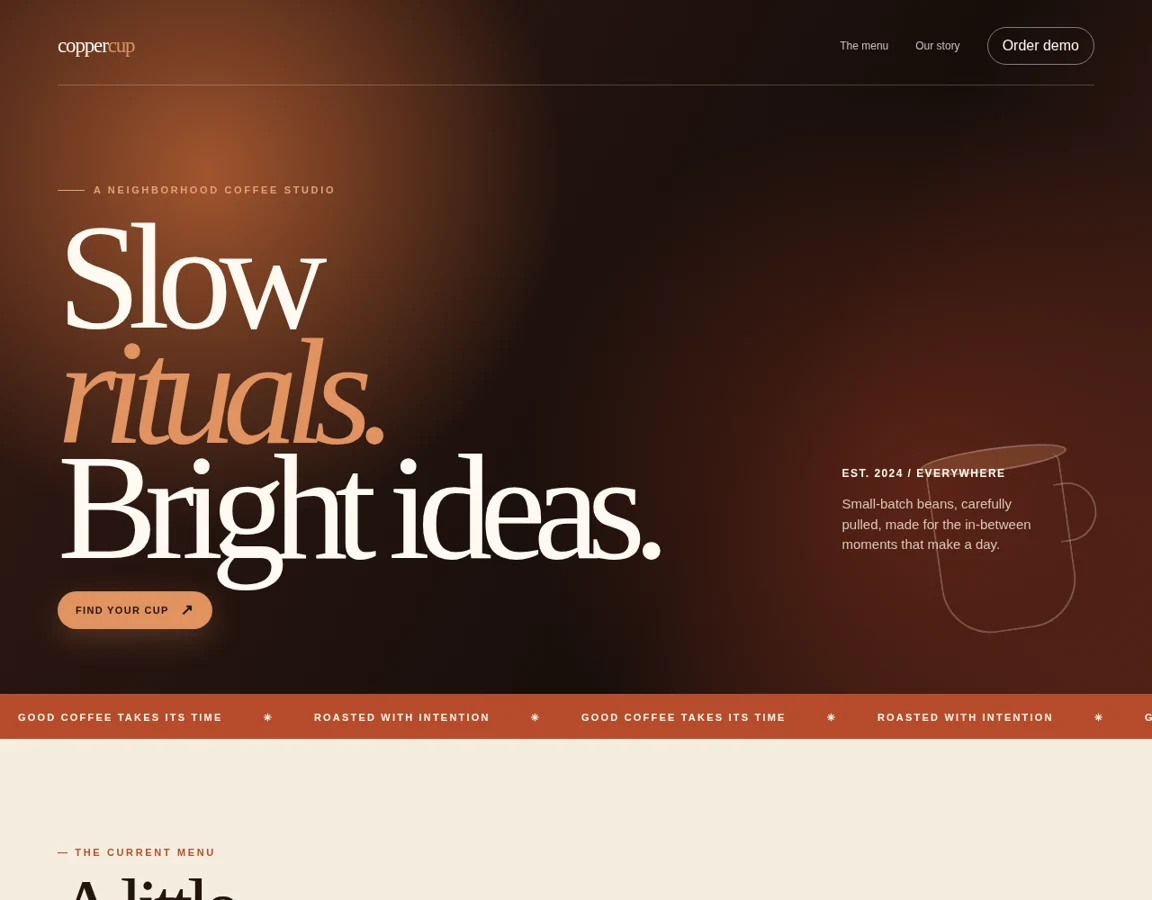
Two selected synthetic projects made with DakDuo. Rendered screenshots, not live apps or customer sites.
A fictional coffee studio with a menu, story and a simulated order dialog. No orders or payments are placed.
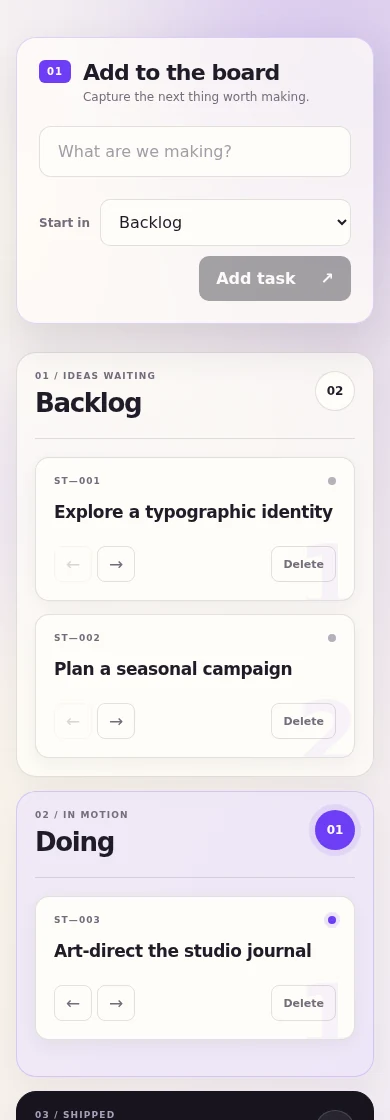
A fictional creative team's kanban board. Adding, moving and deleting tasks passed browser checks.
Selected results, not a guarantee for every prompt. Screenshots show the design; they do not run here.
Describe an app in plain language. DakDuo turns it into React files.
Plan mode lists the steps first. Use Build when you are ready to generate code.
The preview runs in a sandboxed frame next to the code.
Each build is saved. Diff two versions or restore an old one.
Model-backed React generation, code editing, version history, diffs and runnable ZIP export.
Sign in to save your projects in the cloud and sync source code to a connected account.
Make database changes, deploy server functions and create a project backend with explicit confirmation. Publish a verified build to your connected hosting account.
export default function App() {
  return (
    <main style={{fontFamily:"system-ui",display:"grid",placeItems:"center",minHeight:"100vh",background:"#f6f7fb"}}>
      <div style={{textAlign:"center"}}>
        <h1>Your app starts here</h1>
        <p>Describe what you want in the chat and switch to Build.</p>
      </div>
    </main>
  );
}
The builder writes ordinary files. Read them, edit them, export them as a zip.
Plan mode lists the steps first. Use Build when you are ready to generate code.
Every build is saved so you can compare it with the last one or go back.
DakDuo lists approved plan prices and credit allowances. Plans and top-ups are not available to purchase on this website.
$10 / month
150 monthly credits
$20 / month
350 monthly credits
$40 / month
800 monthly credits
Free lists 10 one-time credits when plans launch. No credits are granted here. Compare plans and credit terms.
The template collection is not available yet. Design, testing and rights review come before release. The selected examples above are pictures only, not source downloads or remix links.
Describe a React interface, page or tool. Generate files, inspect the preview, edit code, compare versions and export a runnable project. The Solutions pages offer starting points, not a catalogue of finished applications.
Yes. Sign in to create and save projects. Keep an export of important work.
Your projects, files, version history and chats are saved in your account in the cloud, not as saved copies on your device. Your device keeps your sign-in so you stay logged in. If a save fails, keep the tab open and use Download recovery.
Your instructions, relevant chat and current project code are sent to the AI service used for generation. Read the Privacy policy before sharing information. Review and test generated code.
Built by Dr. Harshvardhan Chopra and Shraddha Shukla, with Dak and Daku.
Meet the team